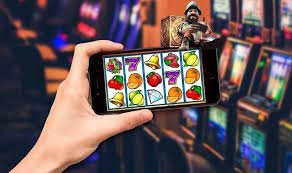
Download the bx99 app — the best online gaming experience on Android and iOS, right at your fingertips

Play bingo, slots, and betting from anywhere in Bangladesh with the bx99 app. Fast loading, smooth navigation, and uninterrupted gameplay — all in one place.

bx99
50 MB
App size (Android)
4.8 ★
User rating
500K+
Active Users
2 minutes
Install time

Choose your platform

Android, iOS, or browser — enjoy bx99 any way you like

Android App

v3.2.1 | Latest update
  • Android 6.0 or above
  • File size: 50 MB
  • RAM: 2 GB minimum
  • Storage: 100 MB free
  • Internet connection required

Download the APK file directly and get it installed in just a few seconds.

Android APK Download

IOS App

v3.2.0 | App Store
  • iOS 13.0 or above
  • File size: 65 MB
  • iPhone 8 or later
  • Storage: 120 MB free
  • Face ID support

Search for bx99 in the App Store or use the direct link to install.

iOS App Download

Web browser

No installation needed
  • Any modern browser
  • Chrome, Firefox, Safari
  • No download required
  • Works on all devices
  • Real-time Updates

Play bx99 directly in your browser with no download needed — works on PC, tablet, and mobile.

Play now
bx99

How to install the bx99 app on Android?

Complete it in just five steps — a five-minute process

1
Download the APK

Tap the download button above. The file will be saved to your device's download folder.

2
Enable Unknown Sources

Go to Settings → Security → Unknown Sources and enable it. This is only required for APK installation.

3
Open the APK file

Tap the bx99.apk file in your Downloads folder. The installation prompt will appear.

4
Tap the Install button

Review the permissions and tap "Install". The installation completes in just 30–60 seconds.

5
Log in or Register

Open the app, log in to your account or create a new one, and you're ready to go!

How to install the bx99 app on iOS?

Download easily from the App Store

1
Open the App Store

Open the App Store on your iPhone or iPad and head to the search bar.

2
Search "bx99"

Type "bx99" in the search bar and find the official app.

3
Tap the Get button

Tap the "Get" button next to the bx99 app. Confirm with Face ID or your password.

4
Wait for the download to complete

Download and installation happen automatically. On Wi-Fi, the whole process takes about a minute.

5
Open and enjoy

Tap "Open" in the App Store, or tap the bx99 icon on your home screen to get started.

bx99

Why is the bx99 app the top choice for Bangladesh gamers?

Everything in one app — bingo, slots, betting, and much more

Smartphones are no longer just for communication — they're a complete entertainment universe. Millions of people in Bangladesh now spend their leisure time gaming on mobile. With that in mind, bx99 has built an app that's not only feature-rich but genuinely easy to use.

Many people feel lost the first time they use a mobile gaming app — where to tap, how to deposit, where to find the games. With the bx99 app, that's not an issue. The interface is so intuitive that everything makes sense from the moment you open it. The menus are clean, the colors are vibrant yet easy on the eyes, and every button is exactly where you'd expect it to be.

One of the biggest advantages of the bx99 app is its loading speed. Mobile internet in Bangladesh is not always consistent — sometimes 4G, sometimes 3G, or even 2G. With that reality in mind, the bx99 app is fully optimized to run smoothly even on low-bandwidth connections, without constant loading screens.

Security is a common concern, especially when money is involved. Every transaction on the bx99 app is protected with SSL encryption. You can also enable Two-Factor Authentication for an extra layer of account security. bx99 never shares user data with third parties.

On the payments side, the bx99 app is fully tailored for Bangladesh. Mobile Banking, Nagad, and Rocket — the three most popular mobile banking services — are all available directly within the app. Deposits take just a few seconds, and withdrawals are fast too, with funds arriving in most cases within 15 to 30 minutes.

The app gives you access to all bx99 games in one place — bingo, slots, Live Casino, Sports Betting, and more. The game lobby is neatly organized with hundreds of titles to browse. You can filter by category, search for specific games, and save your favorites for quick access.

Thanks to regular updates, the bx99 app keeps getting better. New games are added, bugs are fixed, and performance continues to improve. Whether you use the App Store or the APK directly, you'll receive update notifications so you're always on the latest version.

The loyalty program can also be tracked right from within the app. Your points balance, available rewards, and how many points you need to reach the next level — all displayed clearly on a single dashboard. That kind of transparency is what makes bx99 trustworthy.

Battery efficiency is something the bx99 app takes seriously. While many gaming apps drain your battery fast, bx99 is built to keep power consumption at a normal rate even during active gameplay. Your phone won't overheat, even during long gaming sessions.

Round-the-clock Bengali customer support is available right inside the app. Just tap the live chat button and you'll be connected to a support agent instantly. Chat in Bengali, describe your issue, and get a quick resolution.

All in all, the bx99 app is more than just a gaming tool — it's a complete entertainment package. First-time users get a welcome bonus right away, and returning users have something new to look forward to every day. Once you install bx99, you'll understand why so many people have made it their go-to choice.


Scan the QR code

Scan with your camera and go straight to the download page

User Reviews
Game variety95%
Loading Speed92%
Payment Options97%
Customer support90%
Download over Wi-Fi

Download the APK over Wi-Fi to save mobile data.

Keep auto-update on

Keep auto-update enabled to receive the latest features and security patches.

Enable Notifications

Turn on notifications to be the first to hear about special offers and bonuses.

App vs. browser — which should you choose?

Compare the pros and cons of both options at a glance

Features Bx99 App Web browser
Loading Speed Faster Relatively slower
Push Notifications Full Support Limited
Offline features Some features available None
Installation Required Not required
Battery Usage Optimized Higher cost
Fingerprint Login Supported None
Number of games Full Library Full Library
Update process Automatic Real-time

Key features of the bx99 app

What makes this app stand out

Fast loading

The app loads in just 2 seconds — no waiting around to start playing.

Biometric Login

Log in quickly and securely using your fingerprint or Face ID.

Bengali Language

Fully localized interface in Bengali — every menu, button, and instruction.

Dark Mode

Switch to Dark Mode for a more comfortable viewing experience at night.

Smart Notifications

Get updates on bonuses, tournaments, and special offers delivered straight to your phone.

SSL protection

Every transaction is encrypted, keeping your information completely secure.

Live Scores

Get real-time scores and odds updates for Sports Betting.

24/7 Support

Customer support in Bengali is available around the clock.

bx99
Important security information
  • Only download the APK from the official bx99.plus website — never from third-party sites.
  • Never share your login password or OTP with anyone.
  • Before downloading, verify the file name and size — the official APK is always around 50 MB.
  • Bx99 never sends APK links via message or email — if you receive one, report it to support immediately.
  • Bx99 is strictly for users aged 18 and above.

Frequently Asked Questions

Common questions about downloading the bx99 app

Yes, the official bx99 APK is completely safe. Every release goes through antivirus scanning and a security audit before it's published. That said, always download exclusively from the official bx99.plus website. Downloading from third-party sites carries real risks.

The bx99 app runs on Android 6.0 (Marshmallow) or later. If your phone is on Android 6.0 or above, the app will work. For the best experience, Android 9.0 or later with at least 3 GB RAM is recommended.

No, the bx99 app is completely free to download. There are no charges for either the Android APK or the iOS App Store version. However, it does use internet data, so downloading over Wi-Fi is recommended.

First, make sure your internet connection is active. Then close the app completely and reopen it. If the issue persists, clear the app cache (Settings → Apps → bx99 → Clear Cache). If problems continue, reach out via the live chat support inside the app.

No, bx99 policy allows only one account per device. Running multiple accounts puts your account at risk of suspension. Each user should use a separate device.

Android users can download and install the latest APK directly from bx99.plus. Installing a new APK over an older version will not erase your data. iOS users receive updates automatically through the App Store.

Yes, the bx99 app works great on tablets too. Gaming on a larger screen is an even better experience. Install the APK on an Android tablet, or download from the App Store on an iPad. The interface automatically adapts to fit any screen size.

Download the bx99 app today

Sign up, claim your welcome bonus, and start enjoying the best mobile gaming experience in Bangladesh.

বাংলা